


Canon Printer Setting For Easy Card
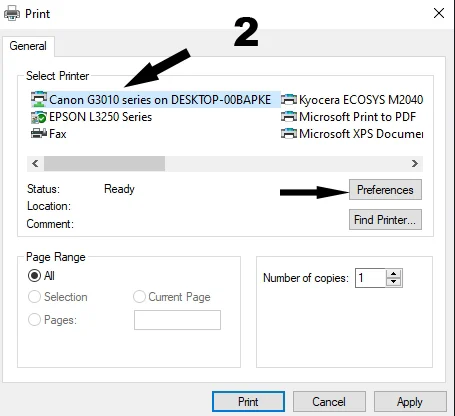
Select Printer from Installed Printer List on your Computer
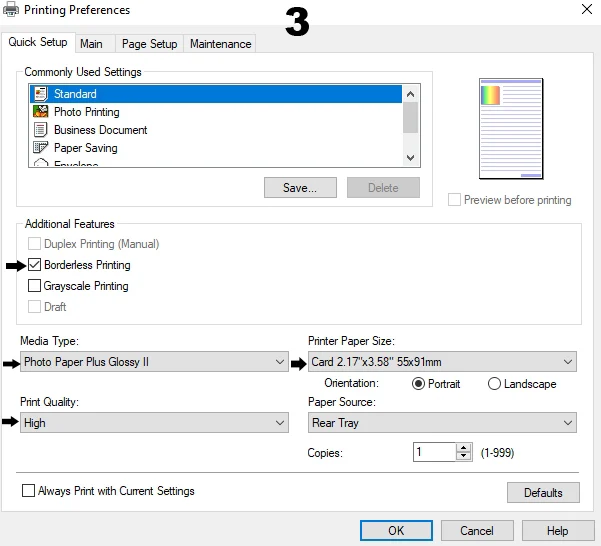
Select Paper size & Quality from Additional Features:-
- Enable- Borderless
- Paper Type : Photo Paper Plus Glossy
- Paper Size- Card 55x91mm
- Orientation-Portrait
- Quality-High
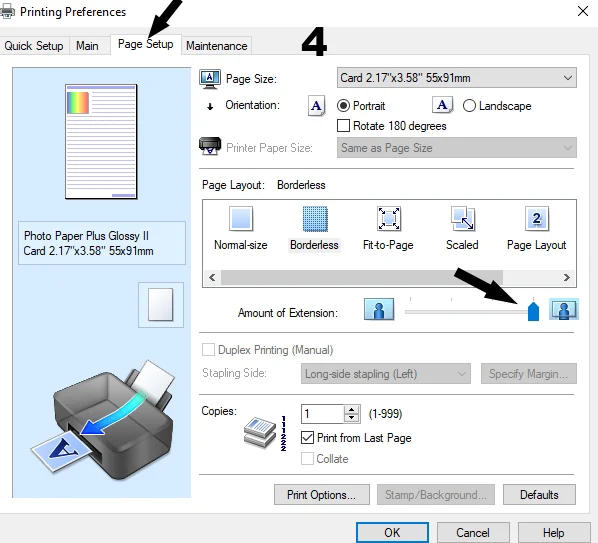
Select Page Setup Tab
- Click on Page setup Tab.
- Set Slider at full
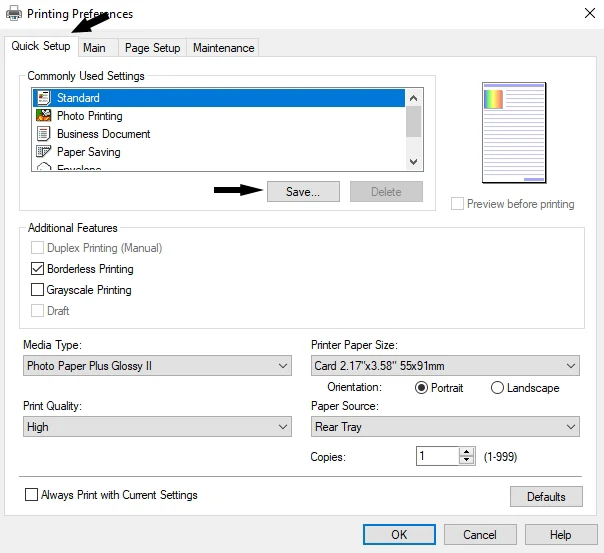
Go Back to Quick Setup Tab
- Click on Save Button for Create preset.
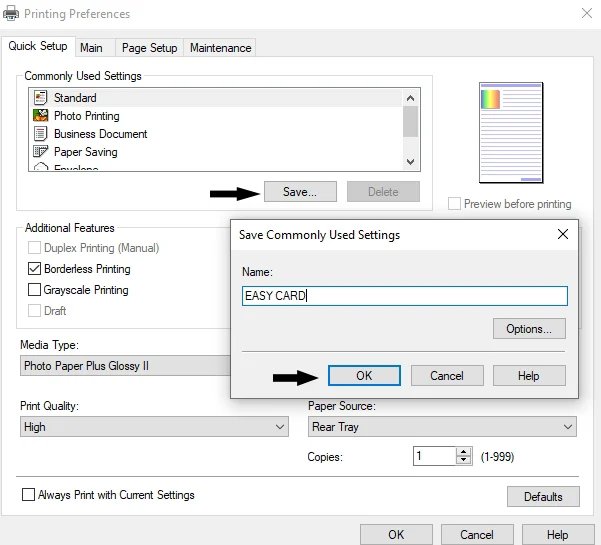
Save Preset for Easy Card
- Click on Save button
- Enter Preset Name and click OK
- Now your Preset is Saved
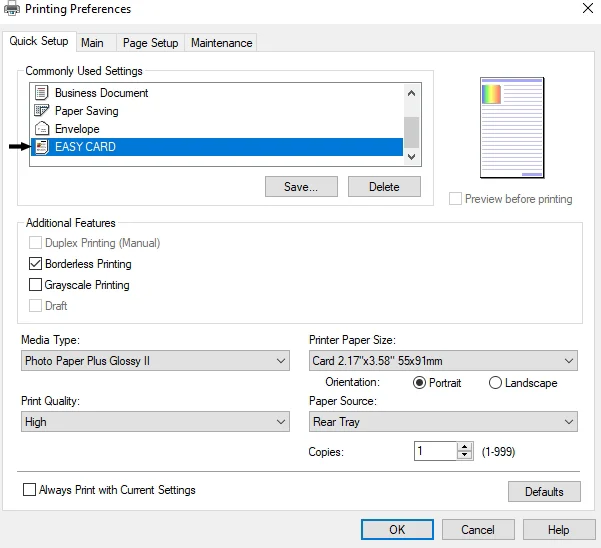
Select your saved Preset
- Double click on your saved Preset
- All setting will applied
- start Printing